 Patrimo
 Pour suivre son patrimoine
Patrimo
Tous tes comptes au même endroit — immobilier, bourse, assurance-vie, crypto, épargne —, et ce qu'ils disent ensemble : ton patrimoine net, sa répartition, ton budget du mois et ta projection.
Dans le navigateur, sans rien installer. L'appli pour téléphone n'est pas encore publiée : pas encore sur Google Play ni sur l'App Store.
Ce que fait Patrimo
Un patrimoine se disperse entre une banque, un courtier, un contrat d'assurance-vie et un appartement ; on n'en voit jamais le total. Patrimo le rassemble, et en tire les chiffres.
-
Tous tes comptes, par établissement
Immobilier, actions et ETF, assurance-vie et PER, crypto, liquidités, métaux précieux : chaque compte avec sa valeur, rangé sous son établissement. Tu les saisis toi-même : Patrimo ne se connecte à aucune banque.
-
Des chiffres qui se recalculent
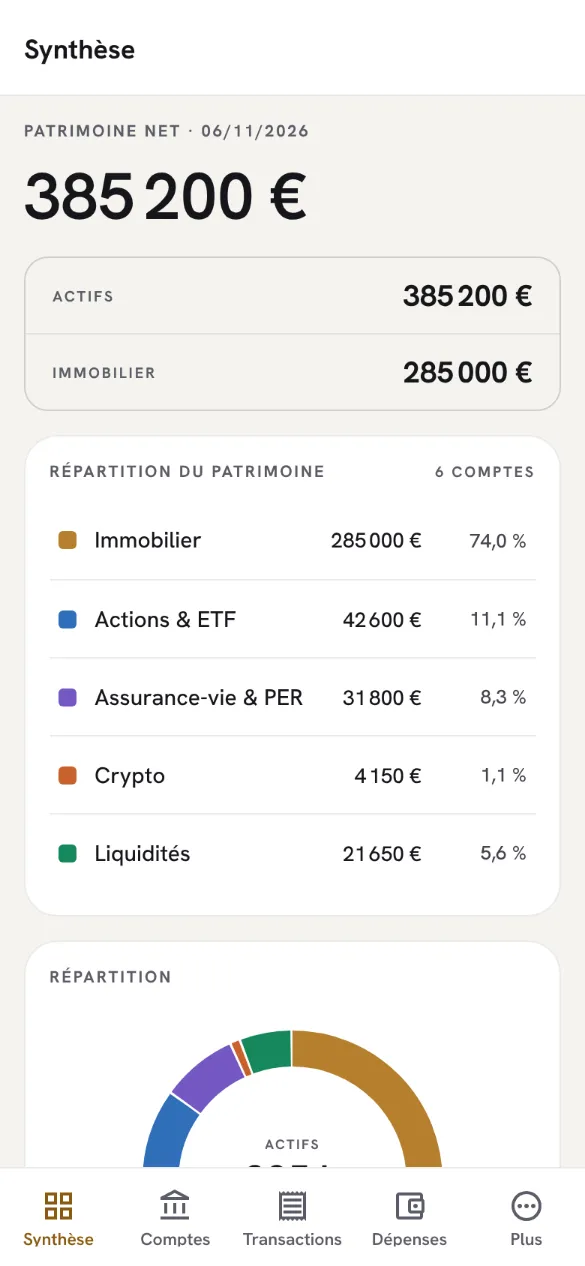
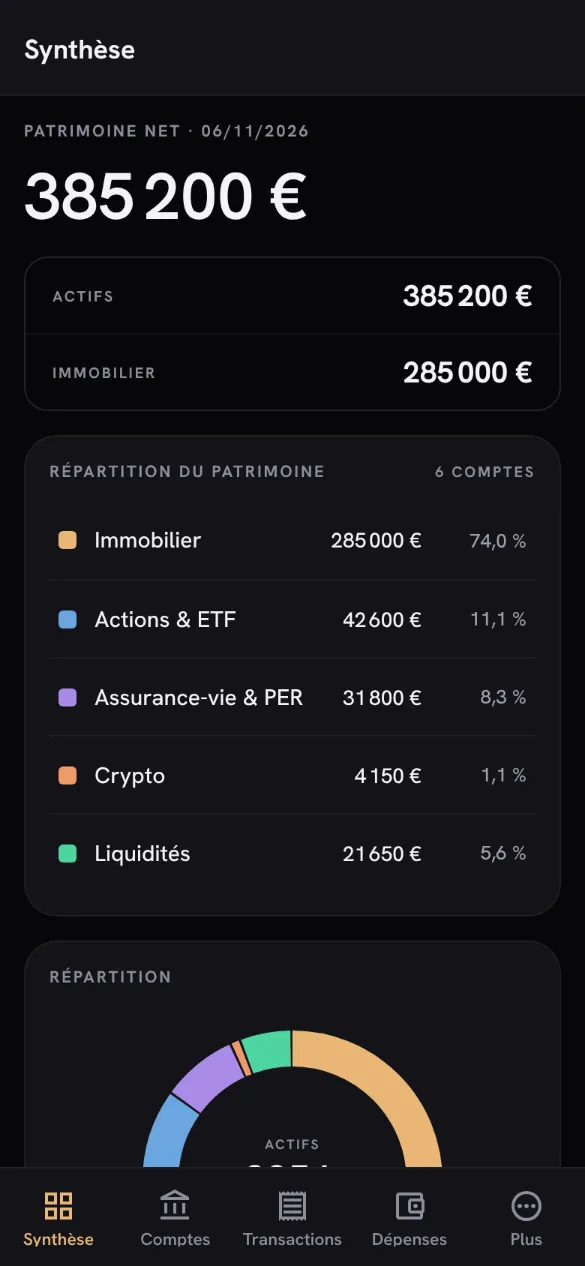
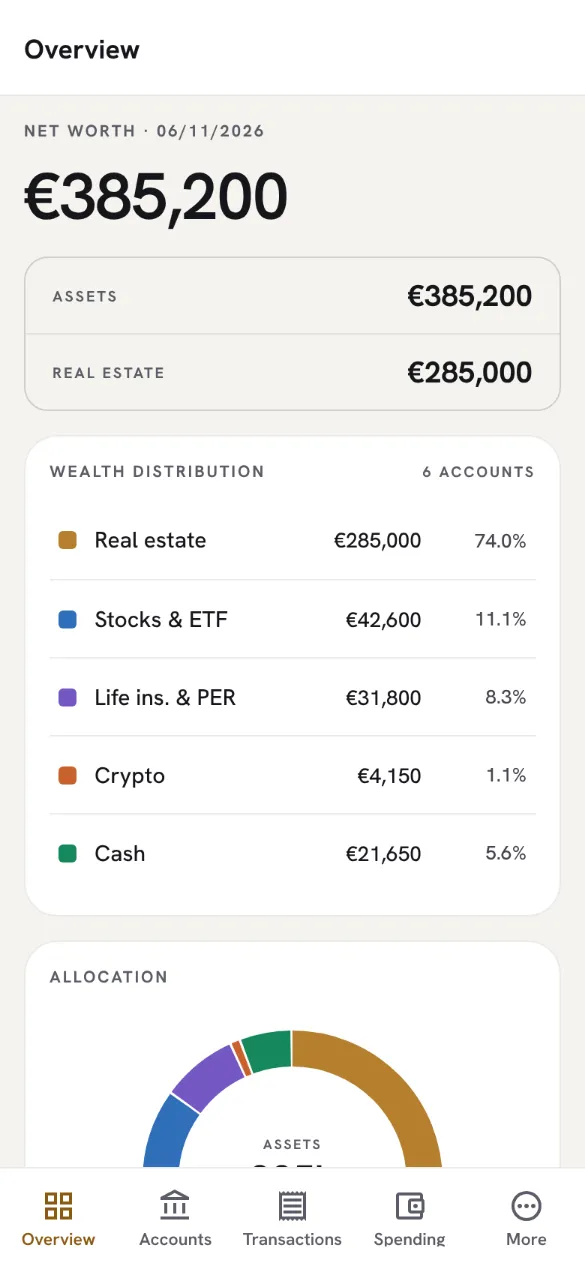
Patrimoine net, répartition par classe d'actif, score de diversification : rien n'est stocké, tout est recalculé à chaque compte modifié, à partir des seules valeurs que tu as saisies.
-
Le budget du mois
Tes revenus et tes dépenses par catégorie, le flux du budget et ton taux d'épargne, à côté de la liste de tes transactions.
-
Dividendes et projection
Les dividendes que tu as reçus, mois par mois, et ton patrimoine projeté jusqu'à quarante ans selon l'épargne mensuelle, le rendement et la durée que tu choisis, avec l'année où l'objectif d'indépendance (1,5 M€) serait atteint.
-
Tes chiffres, à emporter
Un export en CSV, Excel ou PDF, fait sur ton appareil. Et, si tu le demandes, un résumé chiffré partagé avec HealthChecks, notre app de synthèse personnelle.
Comment ça marche
Connecte-toi avec ton compte Lorderis
Le même pour toutes nos apps, par e-mail ou avec Google. Ton portefeuille part vide : Patrimo n'y met aucune donnée d'exemple.
Ajoute tes comptes
Chaque compte avec sa valeur du jour, puis tes transactions et ton budget si tu veux les suivre. Chaque écran te dit ce qu'il attend tant qu'il est vide.
Suis l'ensemble
La synthèse, la répartition, le budget et la projection suivent chaque changement. Ton portefeuille est sur ton compte : tu le retrouves en te reconnectant.
En images
Captures de l'appli réelle, sur un portefeuille d'exemple saisi pour l'occasion. Le tien part vide.
-
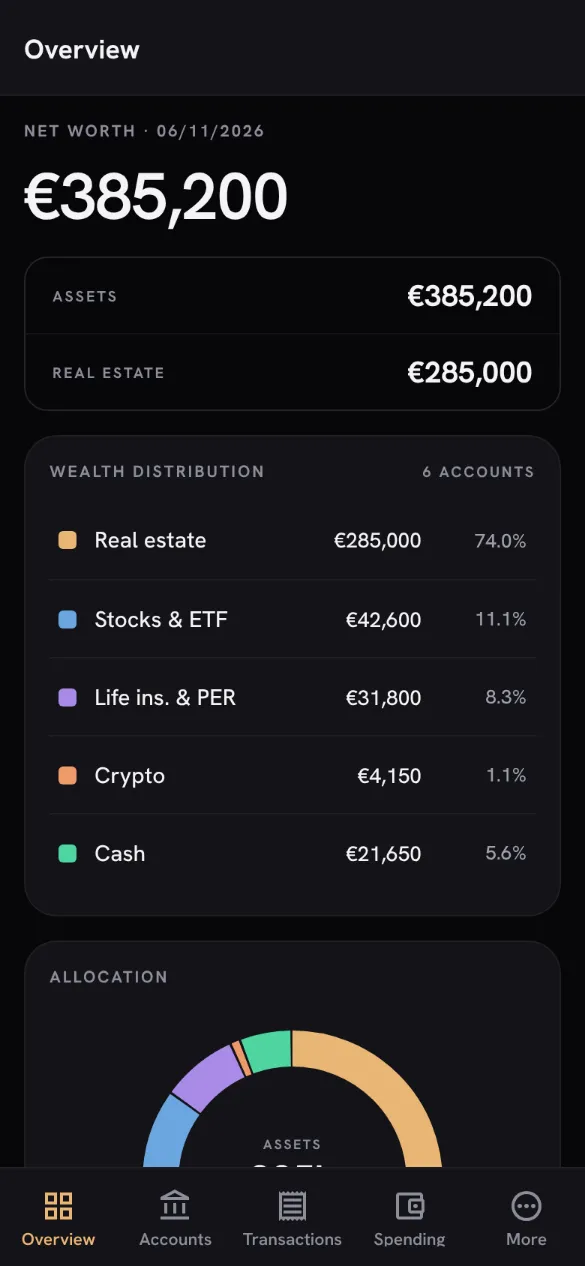
SynthèseLe patrimoine net et sa répartition. -
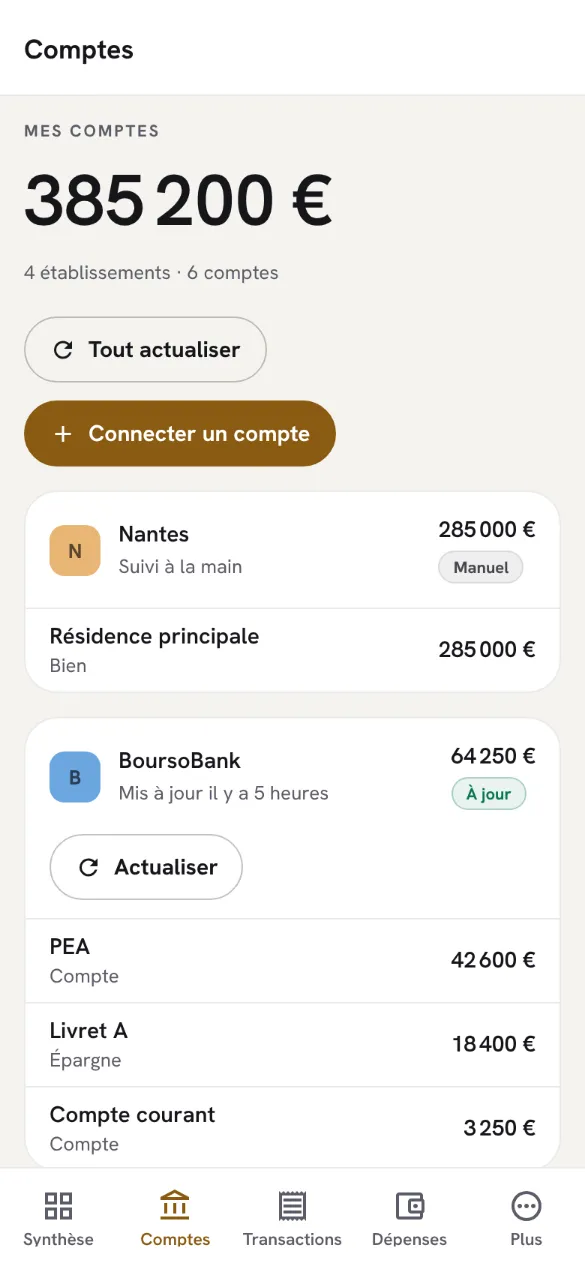
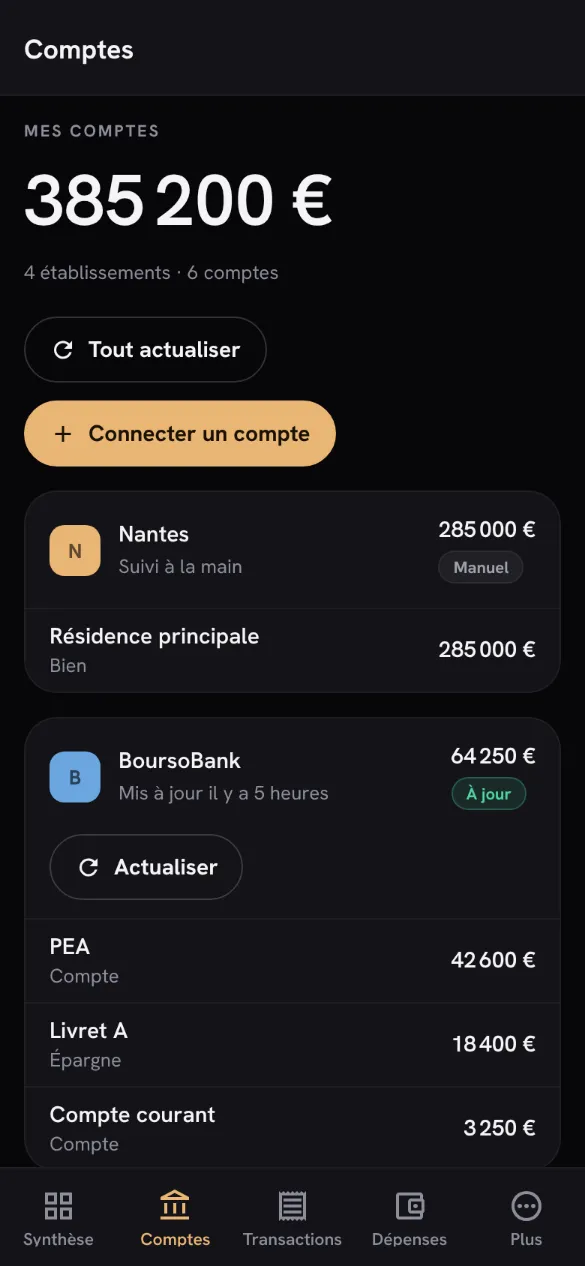
ComptesChaque compte sous son établissement. -
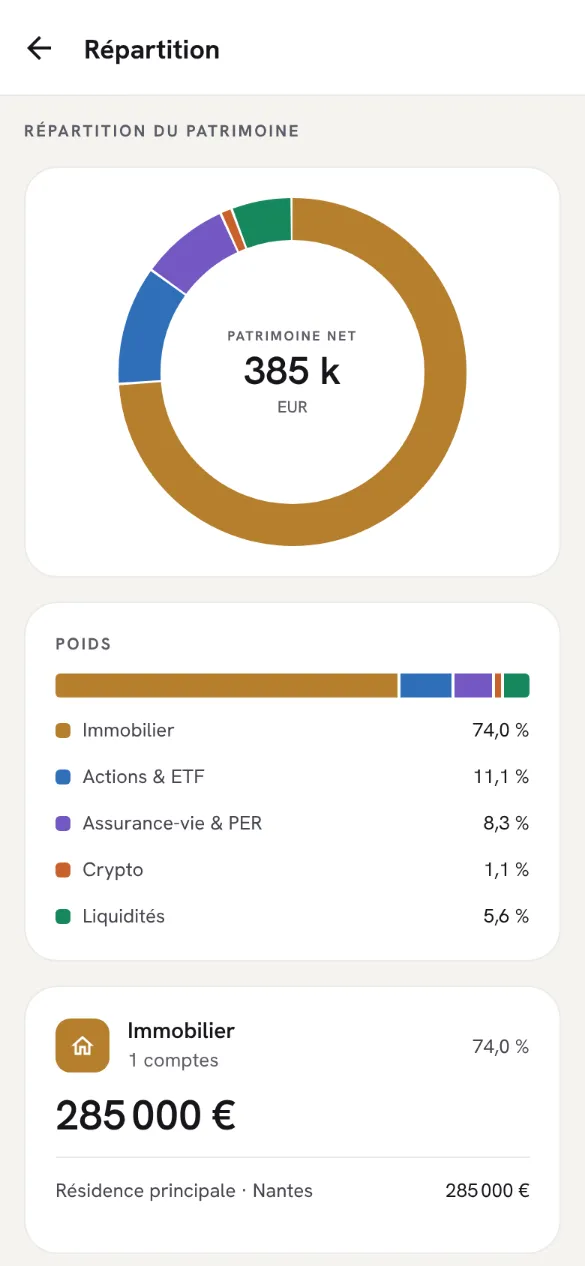
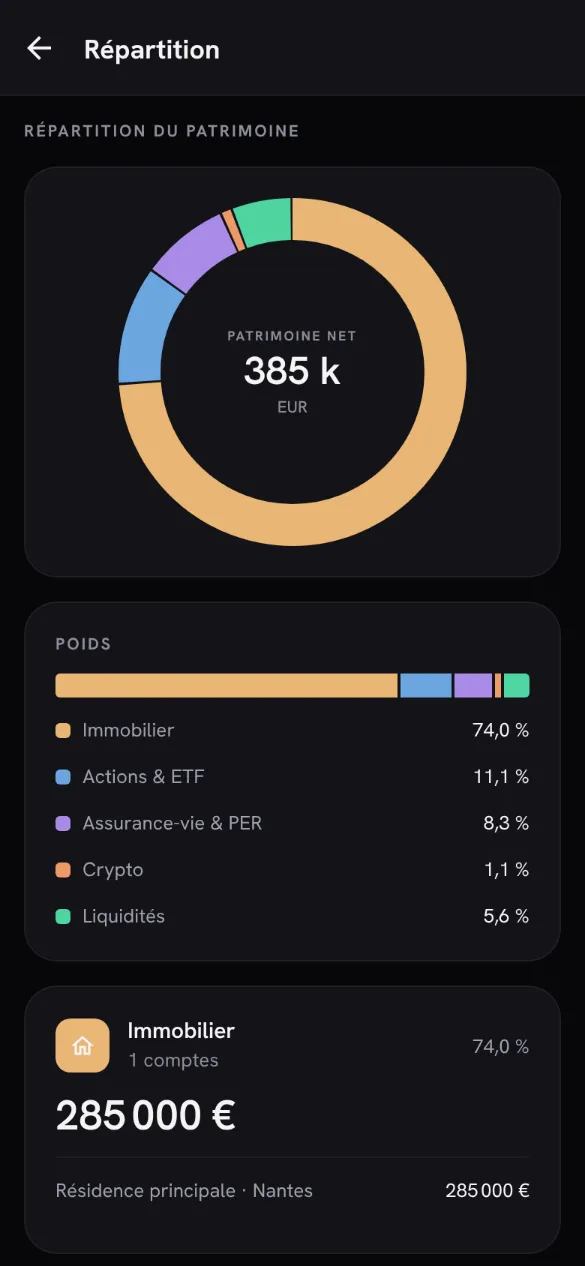
RépartitionLe poids de chaque classe d'actif. -
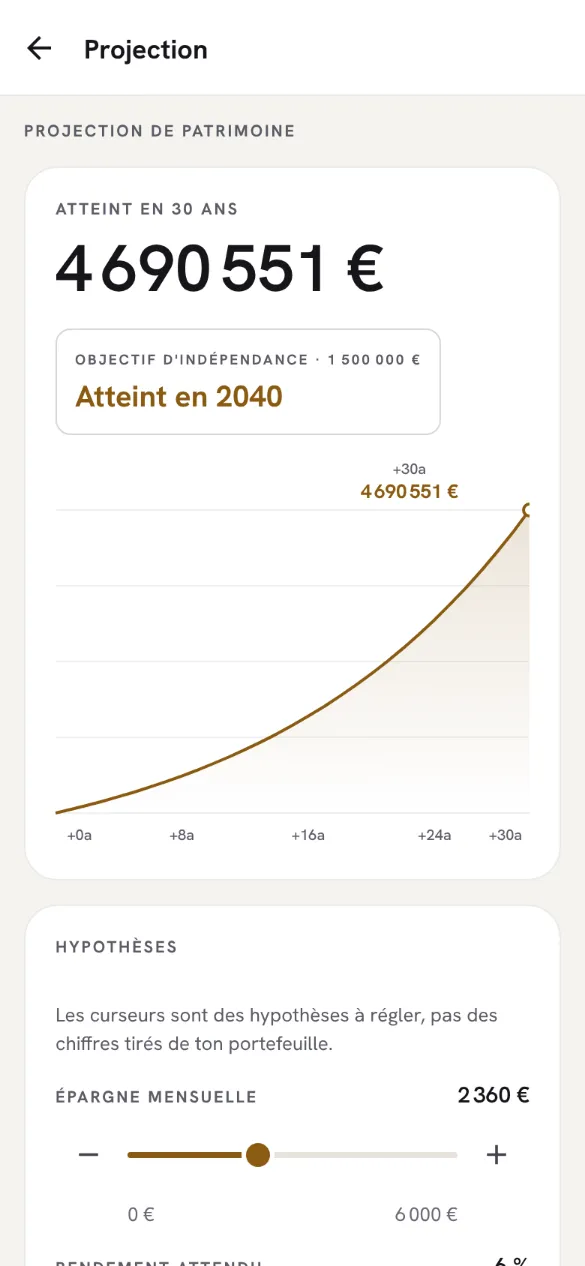
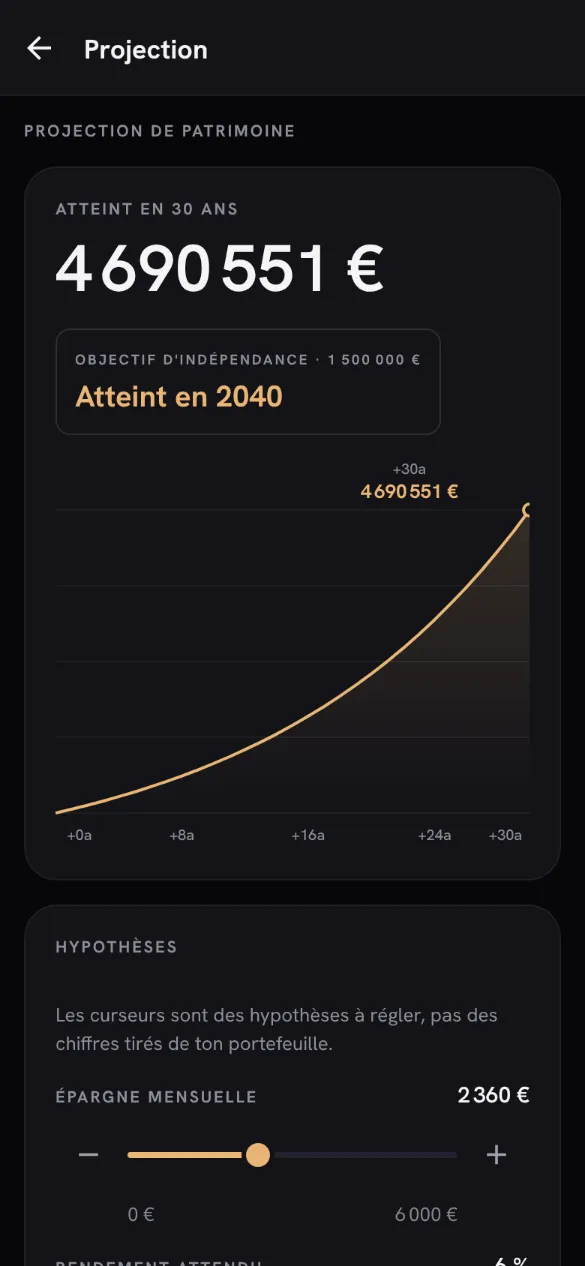
ProjectionTon patrimoine à venir, selon tes hypothèses.
Tes données
- Sur ton compte Lorderis. Ton portefeuille est rangé sur ton compte, hébergé en France, et seul ton compte peut le lire ou le modifier.
- Rien n'est relié à ta banque. Patrimo ne se connecte à aucune banque : tout ce qu'il sait, tu l'as saisi.
- HealthChecks, seulement si tu le demandes. Désactivé par défaut. Il ne reçoit que des chiffres, jamais le nom d'un compte, d'une banque, d'un placement ou d'une opération.
- Ni publicité, ni mesure d'audience. Patrimo ne dépose aucun cookie. Seuls des rapports d'erreur expurgés — sans compte, sans montant — partent chez Sentry, en Union européenne.
- Supprimées quand tu veux. Paramètres → « Supprimer mes données Patrimo » les efface aussitôt ; ton compte Lorderis reste s'il te sert ailleurs.
Tout le détail — ce qui est gardé, où, combien de temps, et les droits de chacun — est dans la politique de confidentialité.
Questions fréquentes
Patrimo se connecte-t-il à ma banque ?
Non. Tes comptes se saisissent à la main : « Connecter un compte » et « Actualiser » n'interrogent aucune banque — le montant est celui que tu donnes, et « Actualiser » note seulement que tes valeurs sont à jour, sans en changer aucune.
D'où viennent les cours ?
Ce sont des cours indicatifs, saisis à la main et jamais mis à jour, livrés avec l'appli pour t'aider à choisir un titre : pas des cotations en direct, et l'écran le dit. Un achat se note au prix que tu as réellement payé, et Patrimo ne passe aucun ordre chez un courtier.
Patrimo me conseille-t-il ?
Non. Patrimo n'est pas un conseil en investissement : rien de ce qu'il affiche n'est une recommandation d'acheter, de vendre ou de conserver un placement. Pour une décision qui engage ton patrimoine, adresse-toi à un professionnel habilité.
Où trouver l'appli pour téléphone ?
Elle n'est pas encore sur Google Play ni sur l'App Store. En attendant, ce site est la même appli, dans le navigateur d'un ordinateur ou d'un téléphone, avec le même compte.
Est-ce payant ?
Non : tout Patrimo est gratuit pour le moment, et aucune formule n'est vendue.
Prêt à essayer ?
Rien à installer : l'appli s'ouvre dans ce navigateur, avec ton compte Lorderis.
To keep track of your wealth
Patrimo
All your accounts in one place — property, stocks, life insurance, crypto, savings — and what they say together: your net worth, its allocation, this month's budget and your projection.
In your browser, nothing to install. The phone app isn't published yet: not on Google Play or the App Store yet.
What Patrimo does
Wealth gets scattered between a bank, a broker, a life insurance contract and a flat; you never see the total. Patrimo brings it together and works out the figures.
-
All your accounts, by institution
Real estate, stocks and ETFs, life insurance and pension plans, crypto, cash, precious metals: each account with its value, under its institution. You enter them yourself: Patrimo connects to no bank.
-
Figures that recalculate
Net worth, allocation by asset class, diversification score: nothing is stored, everything is recalculated whenever an account changes, from the values you entered and nothing else.
-
This month's budget
Your income and spending by category, the budget flow and your savings rate, next to the list of your transactions.
-
Dividends and projection
The dividends you received, month by month, and your wealth projected up to forty years ahead from the monthly savings, return and duration you choose, with the year the independence target (€1.5M) would be reached.
-
Your figures, to take away
An export as CSV, Excel or PDF, made on your device. And, if you ask for it, a numbers-only summary shared with HealthChecks, our personal overview app.
How it works
Sign in with your Lorderis account
The same one for all our apps, by email or with Google. Your portfolio starts empty: Patrimo puts no example data in it.
Add your accounts
Each account with its value today, then your transactions and budget if you want to follow them. Each screen tells you what it needs while it is empty.
Follow the whole picture
The overview, allocation, budget and projection follow every change. Your portfolio is on your account: you find it again when you sign back in.
Screenshots
Screenshots of the real app, on an example portfolio entered for the occasion. Yours starts empty.
-
OverviewNet worth and its allocation. -
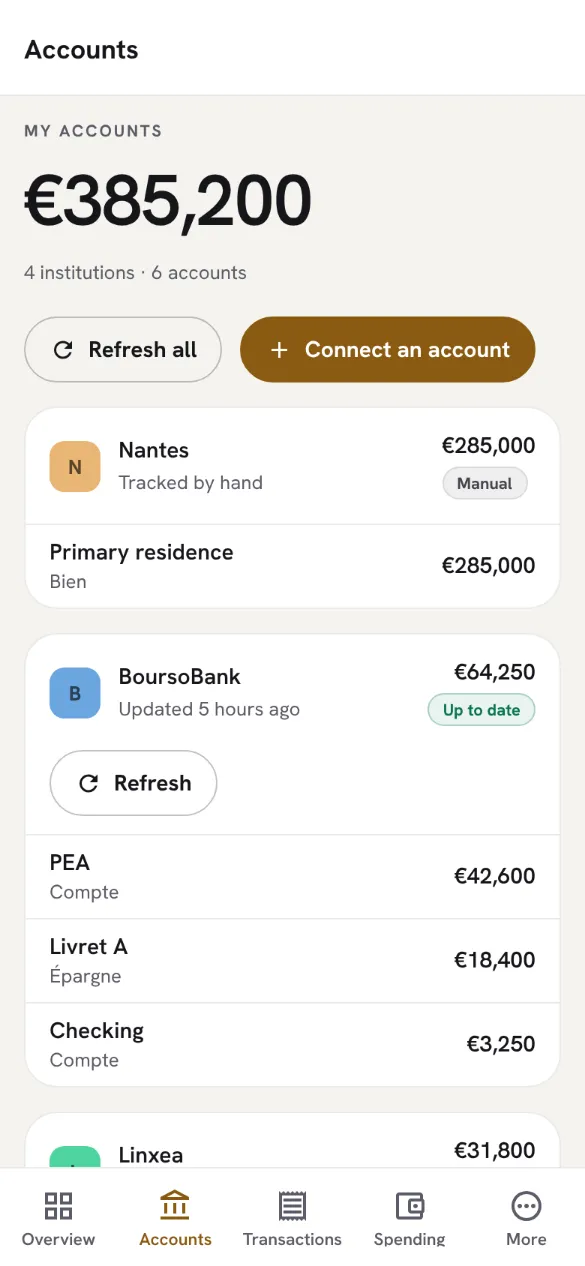
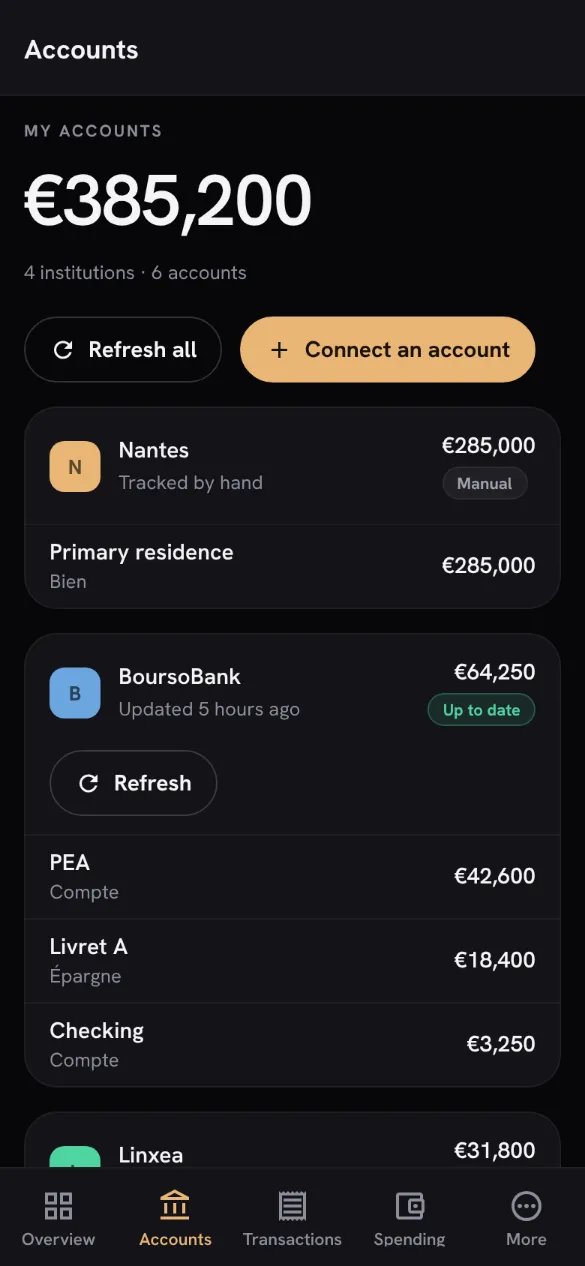
AccountsEach account under its institution. -
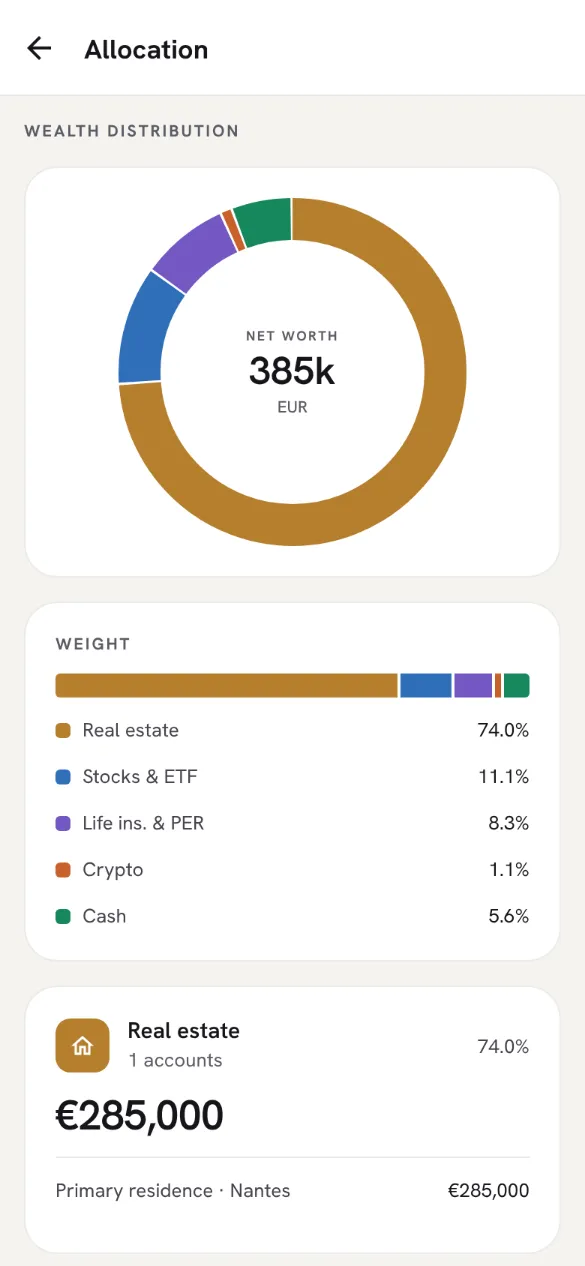
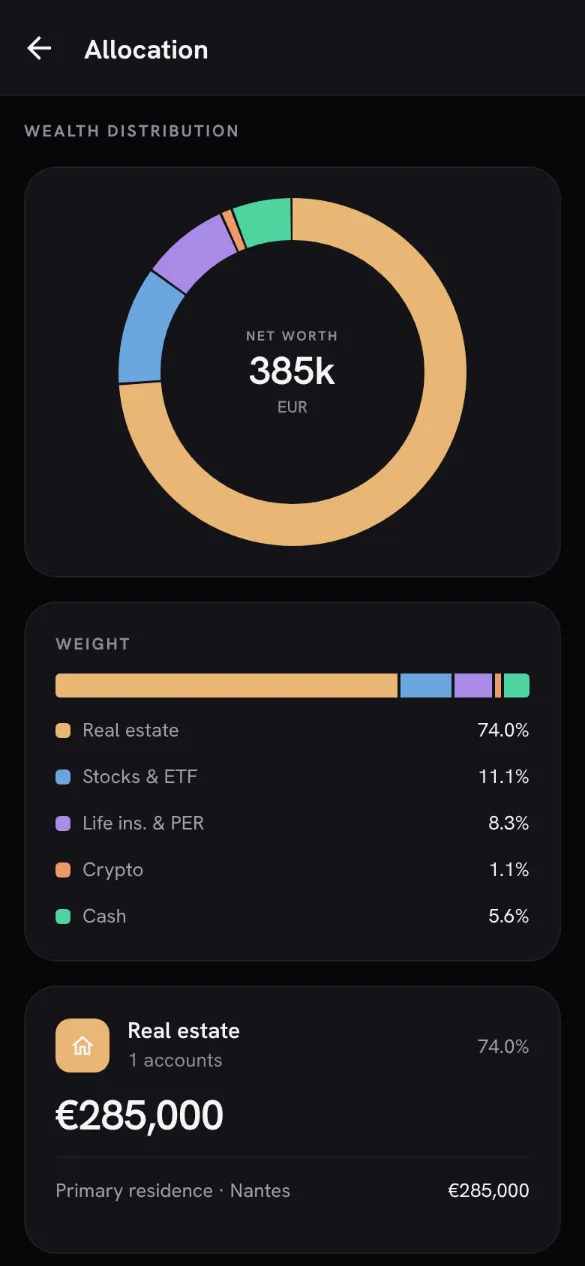
AllocationThe weight of each asset class. -
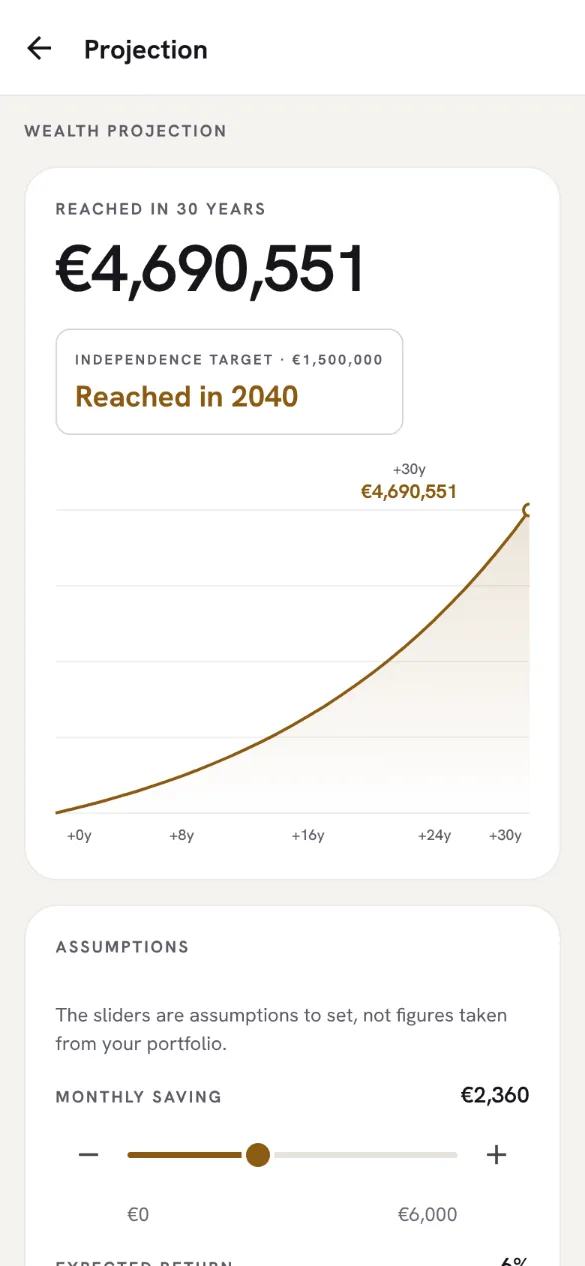
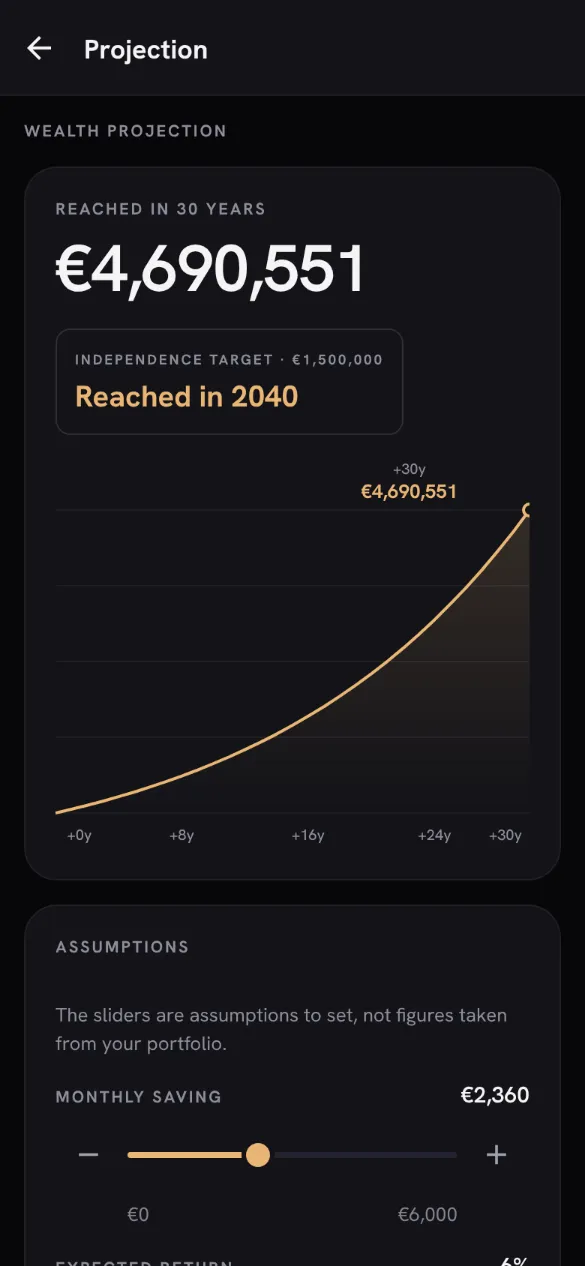
ProjectionYour wealth ahead, on your assumptions.
Your data
- On your Lorderis account. Your portfolio is kept on your account, hosted in France, and only your account can read or change it.
- Nothing is linked to your bank. Patrimo connects to no bank: everything it knows, you entered.
- HealthChecks, only if you ask. Off by default. It only receives figures, never the name of an account, a bank, an investment or a transaction.
- No ads, no audience measurement. Patrimo sets no cookies. Only scrubbed error reports — no account, no amount — go to Sentry, in the European Union.
- Deleted whenever you want. Settings → “Delete my Patrimo data” erases it at once; your Lorderis account stays if you use it elsewhere.
All the details — what is kept, where, for how long, and everyone's rights — are in the privacy policy.
Frequently asked questions
Does Patrimo connect to my bank?
No. Your accounts are entered by hand: “Connect an account” and “Refresh” query no bank — the amount is the one you give, and “Refresh” only notes that your values are up to date, without changing any of them.
Where do the prices come from?
They are indicative prices, entered by hand and never updated, shipped with the app to help you pick a security: not live quotes, and the screen says so. A purchase is recorded at the price you actually paid, and Patrimo places no order with a broker.
Does Patrimo give advice?
No. Patrimo is not investment advice: nothing it shows is a recommendation to buy, sell or hold an investment. For a decision that commits your wealth, talk to a licensed professional.
Where do I get the phone app?
It isn't on Google Play or the App Store yet. Meanwhile, this website is the same app, in the browser of a computer or a phone, with the same account.
Does it cost anything?
No: all of Patrimo is free for now, and no plan is sold.
Ready to try it?
Nothing to install: the app opens in this browser, with your Lorderis account.